
Table of Contents
The Oukitel G2
Specs
| Screen | IPS LCD 6.0 inches, 92.7 cm2 |
|---|---|
| Size | 166 x 81.1 x 15.1 mm |
| Weight | 373 g |
| Screen resolution | 576 x 1156 pixels |
| OS | Android 14 |
| Chipset | Unisoc T606 |
| CPU | Octa-core (2×1.6 GHz Cortex-A75 & 6×1.6 GHz Cortex-A55) |
| GPU | Mali-G57 MP1 |
Rooting not longer allowed
Dear Oukitel,

I recently purchased a G2 smartphone, which I intend to use as
a GPS navigation system on a fleet of motorbikes.

To install some custom procedures, I need to root the device,
as I did with previous Oukitel smartphones (e.g. the WP12 model).
Unfortunately the G2 is based on the Unisoc chip and unlocking
the bootloader requires a signed file, but I don't have the key
to make it.

Please, can you provide the instructions to root the G2 model,
as you provided for the Android 13 phones? (as seen here:
https://oukitel.uk/blogs/news/how-to-root-android-13).

Thank you.
From: "contact@oukitel.com" <contact@oukitel.com>
Date: Thu, 28 Aug 2025 16:28:15 +0800 (CST)
Subject: Re: New customer message on August 27, 2025 at 8:37 pm

Dear customer,

Thank you for choosing our OUKITEL products and services,
we are deeply honored.
We are sorry to tell you that our phones don't support
root now, so we can't provide you with similar method.

Best regards,
From OUKITEL
Cannot fastboot from custom image
Oukitel based on Unisoc chip: is it possibile to fastboot boot from a custom image?
I tried to root an Oukitel G2 smartphone, which is based on the Unisoc T606 chip. I tried the procedure based on the script signidentifier_unlockbootloader.sh, which uses the identifier token provided by fastboot and an Oukitel leaked RSA key:
./signidentifier_unlockbootloader.sh 473230303030303030303036353835 rsa4096_vbmeta.pem signature.bin
Unfortunately flashing the signature.bin file obtained in that way does not work (I used the required modified fastboot binary):
./fastboot flashing unlock_bootloader signature.bin
2downloading 'unlock_message'...
OKAY [  0.001s]
unlocking bootloader...
FAILED (remote: Unlock bootloader fail.)
May be this phone is locked with a different rsa4096_vbmeta.pem key.
Does anyone know if it is possibile to boot using fastboot and a custom kernel image? I extracted the boot-gki.img file from the ROM image, then I patched it using Magisk 26.4 (patching seems successfully), ten in bootloader mode I executed:
fastboot boot magisk_patched-26400_Y9t93.img
But it seems that the phone starts with the stock kernel image, because Magisk says it is not installed and root is not available.
- Yes, I enabled the Developer options ⇒ OEM unlocking
- Yes, I tried the standard fastboot flashing unlock, fastboot oem unlocking, etc.
Special boot menus
To enter the Recovery menu:
- Power off the device.
- Press the VolumeUp and Power keys, keep them pressed.
- Wait about 7 seconds for the Oukitel logo to appear and release the keys.

To enter the fastbootd menu:
- From the Recovery menu choose Enter fastboot

Best Flashing Tool: highly suspect malware
Online, you can find posts discussing a piece of software called BFT Tool (Best Flashing Tool, by Miracle Team), which supposedly can unlock the bootloaders of smartphones equipped with Unisoc (formerly known as Spreadtrum) chips.
The download links all point to anonymous URLs from MediaFire or MEGA.nz, and the various instructions tell you to disable your antivirus software to complete the installation — all of which are extremely alarming signs.
I decided anyway to test the program by installing it on a “sacrificial” Windows PC. In my assessment, Best Flashing Tool falls somewhere between being unreliable software and outright malware or a scam.
These are the md5sums of the 1.6 and 1.7 installer files:
# Malware!
c075f8660444f866c05b5b7c902e2882  BFTSetup1.6.rar
ba2afe11365af9113ad8b6119d7c6efa  BFTSetup1.7.rar
5070218bc01ebd9b3dc3d285c63e0bf0  BFTSetup1.7.exe
Every antivirus program flags it as malicious (e.g., Avast: Win32:MalwareX-gen, BitDefender: Gen:Variant.Yogi.11731, etc.). If you proceed with the installation anyway, the program refuses to launch, displaying the error: “Failed to check for new version.”
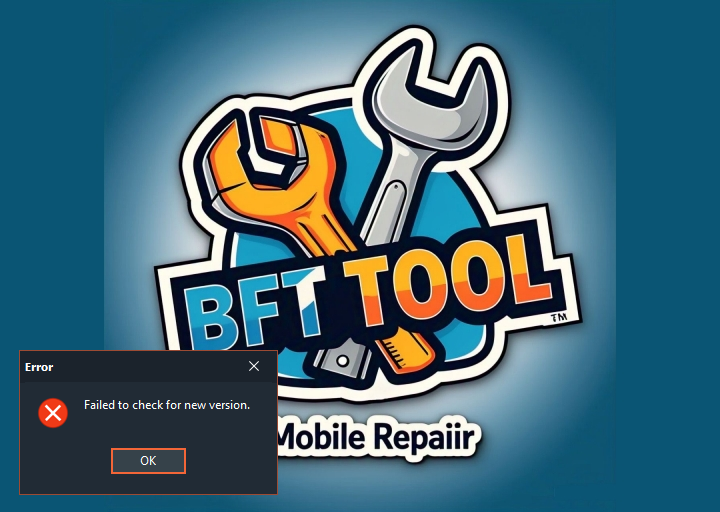
The same result was obtained with version 1.6 and 1.7 on Windows 10 Pro.
Limitazioni senza accesso root
Nel mio caso d'uso lo smartphone viene usato come navigatore GPS. Grazie a Termux ho un widget menu dal quale eseguo alcuni script di utilità, ad esempio per scaricare le tracce GPX preparate al desktop e rese disponibili presso un URL pubblico.
| Copia mappe Osmand via adb | I file obf con le mappe si possono copiare in /sdcard/Android/data/net.osmand.plus/files da riga di comando con il tool adb. I file risultanti tuttavia appartengono all'utente shell invece che all'utente OsmAnd (nel nostro caso u0_a204). Sembra che questo non comporti problemi nell'attivare o disattivare le mappe così caricate. |
|---|---|
| Terminale Termux | Gli script Termux non possono agire come root, ad esempio non è possibile copiare file nella cartella di OsmAnd (utile per i percorsi GPX). In teoria è possibile abilitare il Wireless debug ed guadagnare da terminale Termux i permessi dell'utente adb (tipicamente l'utente shell). Tuttavia la procedura è laboriosa: Android Wireless debug |
| Caricamento tracce GPX in OsmAnd | Non è possibile copiare file nella cartella di OsmAnd dal terminale di Termux, ma è possibile da OsmAnd importare file presenti nell storage condiviso. Si concede a Termux il permesso Files e si esegue nel terminale il tool termux-setup-storage. In questo modo Termux potrà scrivere ad esempio in ~/storage/downloads/. Dal menu OsmAnd si potrà fare Configura la mappa ⇒ Tracce ⇒ Importa. |